
📚 Why Students Are Using ChatGPT
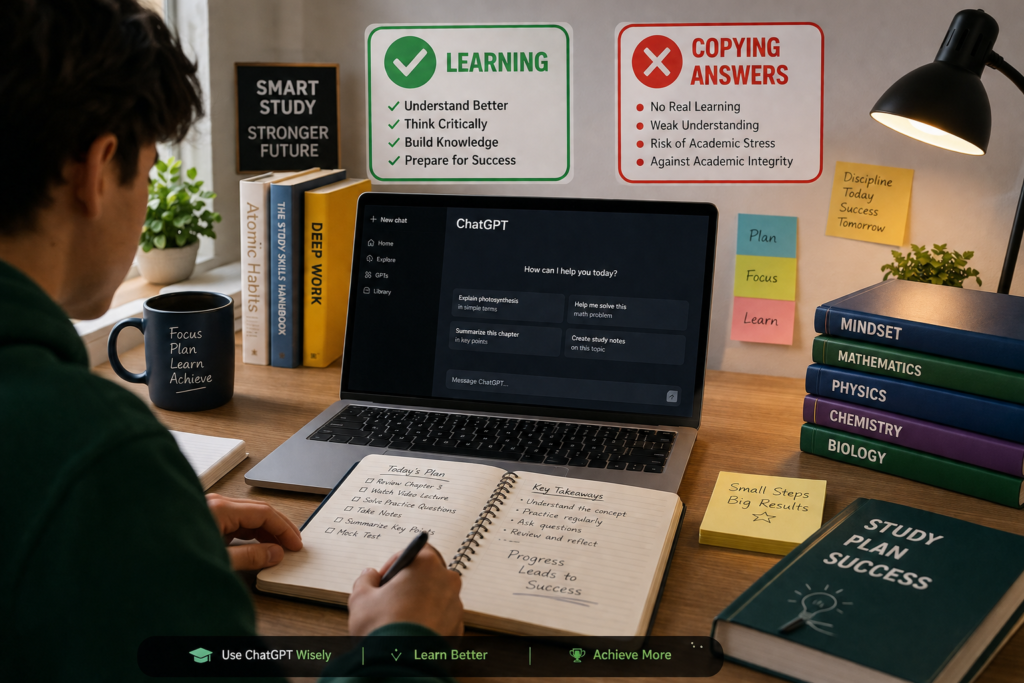
Not long ago, students had to rely on textbooks, classroom notes, and endless Google searches to find answers. Today, learning looks a little different. With AI tools like ChatGPT, students can ask questions in plain language and receive clear, easy-to-understand explanations within seconds. Whether it’s solving a difficult math problem, understanding a science concept, or improving writing skills, ChatGPT has become a valuable learning companion for millions of students around the world.
LINK: 30 best AI tools for students
But the biggest reason students are turning to ChatGPT isn’t because they want shortcuts—it’s because they want help. Sometimes a teacher isn’t available, a textbook explanation feels confusing, or searching through multiple websites takes too much time. ChatGPT can explain the same topic in different ways, answer follow-up questions, and even adjust its explanations based on your level of understanding. It’s like having a tutor that’s available 24/7.
Another reason for its popularity is personalization. Every student learns differently. Some prefer detailed explanations, while others understand better through examples, analogies, or step-by-step instructions. ChatGPT can adapt to these learning styles, making studying more interactive and less frustrating. Instead of memorizing facts, students can focus on understanding concepts and building confidence.
However, with this convenience comes responsibility. While ChatGPT can be an incredible study partner, it should never replace your own thinking or effort. The goal isn’t to let AI do your work—it’s to use AI to learn more effectively. Students who use ChatGPT to understand ideas, practice problems, brainstorm projects, or review difficult topics often gain much more than those who simply copy answers.
In the end, ChatGPT is just a tool. Just as a calculator helps you solve equations without replacing mathematical thinking, ChatGPT can support your learning without replacing your education. When used the right way, it can make studying more enjoyable, more efficient, and, most importantly, more meaningful.
❌ What Counts as Cheating with ChatGPT?
ChatGPT is a powerful learning tool, but like any tool, it depends on how you use it. The line between learning and cheating isn’t defined by ChatGPT itself—it’s defined by your actions. If you’re using AI to improve your understanding, you’re on the right track. If you’re using it to avoid thinking or to claim someone else’s work as your own, you’ve crossed the line.
For example, imagine your teacher assigns you an essay on climate change. If you ask ChatGPT to explain the topic, suggest an outline, or help you improve your grammar, you’re using it as a study assistant. But if you ask it to write the entire essay and submit it without making any changes or understanding the content, that’s considered academic dishonesty in many schools and universities.
The same applies to homework and exams. Using ChatGPT to understand a difficult math concept or to check whether your answer is correct can help you learn. However, copying AI-generated solutions during an online test or submitting answers without solving the problems yourself defeats the purpose of education. The goal of studying isn’t just to get the correct answer—it’s to develop the skills needed to find that answer on your own.
A simple question can help you decide whether you’re using ChatGPT responsibly:
“Am I using ChatGPT to learn something, or am I using it to avoid learning?”
If your answer is the second one, it’s probably cheating.
Here’s a quick comparison:
| ✅ Ethical Use | ❌ Cheating |
|---|---|
| Asking for explanations of difficult concepts | Copying AI-generated homework word for word |
| Getting step-by-step guidance to solve a problem | Submitting AI-written assignments as your own |
| Practicing with quizzes and sample questions | Using ChatGPT during exams when it’s not allowed |
| Improving grammar, vocabulary, or writing style | Hiding the fact that AI completed your work |
| Brainstorming ideas for projects or essays | Turning in AI-generated content without understanding it |
The best students don’t use ChatGPT to replace their brains—they use it to sharpen them. Think of AI as a tutor sitting beside you, not as someone taking your exam. When you stay curious, ask questions, and put in your own effort, ChatGPT becomes a tool for growth instead of a shortcut that holds you back.
✅ The Right Way to Use ChatGPT for Studying
If you want to get the most out of ChatGPT, think of it as a study partner, not an answer generator. The students who benefit the most aren’t the ones who copy and paste responses—they’re the ones who ask thoughtful questions, challenge their understanding, and use AI to strengthen what they already know.
A good way to start is by asking ChatGPT to explain difficult topics in simple language. If you’re struggling with photosynthesis, algebra, programming, or world history, ask for an explanation as if you’re a beginner. If you still don’t understand, ask it to explain the concept differently or use a real-life example. Learning becomes much easier when complex ideas are broken down into simple steps.
Another smart approach is to use ChatGPT for revision. Instead of reading the same chapter repeatedly, ask it to summarize key points, create flashcards, generate multiple-choice questions, or quiz you on important topics. Active learning helps you remember information much better than passive reading.
ChatGPT is also excellent for improving your writing. Rather than asking it to write an entire essay, write the first draft yourself. Then ask for feedback on grammar, clarity, sentence structure, or ways to make your arguments stronger. This helps you become a better writer while keeping your work original.
When solving numerical or technical problems, don’t ask for only the final answer. Instead, request a step-by-step explanation and try solving the problem yourself before checking the solution. If you make a mistake, ask ChatGPT where you went wrong and how to improve. Learning from mistakes is one of the fastest ways to build confidence.
One of the biggest advantages of ChatGPT is that it never gets tired of your questions. If a topic is confusing, keep asking “Why?”, “How?”, or “Can you explain that differently?” until everything makes sense. Curiosity is one of the most powerful learning habits you can develop.
Here are some smart ways to use ChatGPT for studying:
- 📖 Explain difficult concepts in simple words.
- 📝 Summarize long chapters into easy revision notes.
- ❓ Create quizzes and practice questions.
- 💡 Brainstorm ideas for essays, presentations, or projects.
- ✍️ Improve grammar, vocabulary, and writing skills.
- 🧠 Generate flashcards for quick revision.
- 💻 Learn programming by understanding code instead of copying it.
- 🌍 Practice speaking or writing in a new language.
- ⏳ Build personalized study plans for upcoming exams.
- 🎯 Identify weak areas and recommend what to study next.
Remember, ChatGPT should help you think—not think for you. The more effort you put into understanding the material, the more valuable the tool becomes. AI can save you time, explain confusing ideas, and make studying more enjoyable, but your knowledge, creativity, and critical thinking are what truly lead to success.
At the end of the day, your grades may open doors, but your understanding is what helps you walk through them. Use ChatGPT to learn, practice, and grow—and you’ll gain skills that last far beyond the classroom.
📝 10 Practical Ways Students Can Use ChatGPT
Knowing that ChatGPT can help with studying is one thing—but knowing how to use it effectively is what makes the real difference. Instead of asking for ready-made answers, use it to improve your understanding, practice your skills, and become a more confident learner.
Here are 10 practical ways students can use ChatGPT without cheating, along with example prompts you can try today.
1. 📖 Understand Difficult Concepts
Stuck on a topic that just won’t make sense? Ask ChatGPT to explain it in simple language or with real-life examples.
Example Prompt:
“Explain Newton’s Laws of Motion like I’m a 15-year-old, with everyday examples.”
2. 📝 Summarize Long Chapters
Reading an entire chapter can take time. ChatGPT can help you identify the main ideas, making revision faster and more focused.
Example Prompt:
“Summarize this biology chapter into key points for revision.”
3. ❓ Create Practice Quizzes
Testing yourself is one of the best ways to remember information. Ask ChatGPT to generate quizzes with answers hidden until you’re ready.
Example Prompt:
“Create a 15-question multiple-choice quiz on World War II without showing the answers first.”
4. ✍️ Improve Your Writing
Write your own essay or assignment first, then ask ChatGPT to review it for grammar, clarity, and structure.
Example Prompt:
“Review my essay and suggest ways to improve the introduction and conclusion without rewriting it.”
5. 🧮 Learn Step by Step
For subjects like math, physics, or programming, ask ChatGPT to explain each step instead of giving only the final answer.
Example Prompt:
“Teach me how to solve quadratic equations step by step, then give me three practice questions.”
6. 🧠 Make Flashcards for Revision
Flashcards are perfect for memorizing definitions, formulas, vocabulary, and historical dates.
Example Prompt:
“Create 25 flashcards for the human digestive system with questions on one side and answers on the other.”
7. 💻 Learn Coding Faster
If you’re learning programming, ChatGPT can explain code, find bugs, and teach programming concepts in a beginner-friendly way.
Example Prompt:
“Explain what this Python code does and help me fix any errors without rewriting the entire program.”
8. 🌍 Practice a New Language
Improve your vocabulary, grammar, pronunciation, and conversation skills by chatting with ChatGPT in the language you’re learning.
Example Prompt:
“Let’s have a beginner-level conversation in Spanish. Correct my mistakes and explain them.”
9. 📅 Create a Personalized Study Plan
Feeling overwhelmed before exams? Let ChatGPT organize your study schedule based on your available time and subjects.
Example Prompt:
“Create a 14-day study plan for my science and math exams. I can study two hours every evening.”
10. 🎯 Find Your Weak Areas
Instead of studying everything equally, use ChatGPT to identify topics that need more attention.
Example Prompt:
“Ask me 20 questions about chemistry. After each answer, tell me which topics I should revise more.”
💡 A Quick Tip for Better Results
The quality of ChatGPT’s response depends on the quality of your prompt. Instead of asking vague questions like “Teach me math,” be specific.
❌ Weak Prompt:
“Explain chemistry.”
✅ Better Prompt:
“Explain chemical bonding with simple examples, diagrams I can draw in my notebook, and five practice questions at the end.”
The more details you provide, the more helpful and personalized the response will be.
By using these methods, ChatGPT becomes much more than a homework helper—it becomes a personal tutor, quiz creator, writing coach, coding assistant, and revision partner. The key is simple: use it to understand, not to replace your own thinking. That’s how you’ll build knowledge that stays with you long after the exam is over.
🎯 Best ChatGPT Prompts for Learning
One of the biggest secrets to getting great results from ChatGPT is asking better questions. The more specific your prompt is, the more useful and personalized the response will be. Instead of asking vague questions, tell ChatGPT exactly what you want it to do, your grade level, and how you’d like the information explained.
To save you time, here are some of the best ChatGPT prompts for studying. Feel free to copy, customize, and use them for your own learning.
📚 General Study Prompts
- Explain this topic in simple words as if I’m a beginner.
- Teach me this concept step by step with real-life examples.
- Summarize this chapter into short revision notes.
- What are the five most important points I should remember?
- Explain this topic using an easy analogy that anyone can understand.
🧮 Math Prompts
- Solve this problem step by step and explain why each step is necessary.
- Don’t give me the final answer immediately. Instead, guide me so I can solve it myself.
- Generate 10 practice questions on algebra with increasing difficulty.
- Explain where I made a mistake in this solution and help me correct it.
🔬 Science Prompts
- Explain photosynthesis using simple language and everyday examples.
- Compare mitosis and meiosis in an easy-to-understand table.
- Create five quiz questions based on this chapter without revealing the answers.
- Explain this scientific concept as if you’re teaching a middle school student.
💻 Programming Prompts
- Explain what this code does, line by line.
- Help me debug this code without rewriting the entire program.
- Give me a beginner-friendly project to practice Python.
- Explain this programming concept using simple examples before showing code.
✍️ Writing & English Prompts
- Check my essay for grammar, spelling, and clarity without changing my writing style.
- Suggest stronger vocabulary for this paragraph while keeping it natural.
- Give me feedback like a teacher and tell me how I can improve.
- Help me make this introduction more engaging without writing it for me.
🌍 Language Learning Prompts
- Let’s have a conversation in French. Correct my mistakes after each reply.
- Teach me 20 useful Spanish words related to travel with example sentences.
- Explain the difference between these two grammar rules with examples.
- Quiz me on vocabulary until I get every answer correct.
📅 Exam Preparation Prompts
- Create a 7-day revision plan for my upcoming exams.
- Ask me important exam questions one by one and evaluate my answers.
- Turn this chapter into flashcards for quick revision.
- Generate a mock test based on my syllabus with an answer key at the end.
🧠 Critical Thinking Prompts
- Ask me questions that make me think instead of giving me the answer.
- Pretend you’re my teacher and test my understanding of this topic.
- Challenge my answer and explain where my reasoning could improve.
- Give me hints only. Let me solve the problem myself.
💡 Pro Tip: Ask ChatGPT to Be Your Tutor
Instead of treating ChatGPT like a search engine, treat it like a personal tutor. Tell it how you learn best.
For example, you can say:
“Act as my science tutor. Explain concepts in simple language, ask me questions after each lesson, correct my mistakes, and don’t move to the next topic until I understand the current one.”
This creates an interactive learning experience that keeps you engaged instead of passively reading information.
The best prompts don’t just ask for answers—they encourage explanations, practice, feedback, and discussion. That’s where real learning happens. When you use ChatGPT to ask smarter questions, you’ll not only prepare better for exams but also build deeper understanding and stronger problem-solving skills that stay with you long after your grades are announced.
⚠️ Common Mistakes to Avoid
ChatGPT is one of the most useful study tools available today, but it’s not magic. Like a calculator, a textbook, or a tutor, its value depends on how you use it. Many students make simple mistakes that limit their learning or even lead to academic dishonesty. The good news is that these mistakes are easy to avoid once you’re aware of them.
1. Copying Answers Without Understanding Them
This is the biggest mistake students make. It might save a few minutes today, but it won’t help you during exams, interviews, or real-world situations where you need to think for yourself.
Do this instead: Read the explanation carefully, rewrite it in your own words, and make sure you understand the concept before moving on.
2. Asking Questions That Are Too Vague
Questions like “Teach me science” or “Explain math” are too broad. ChatGPT gives much better answers when you provide context.
Instead of this:
“Explain biology.”
Try this:
“Explain how the human heart pumps blood using simple language and diagrams I can draw in my notebook.”
The more specific your prompt, the more useful the response will be.
3. Believing Everything Without Verifying It
ChatGPT can occasionally make mistakes or provide outdated information. That’s why it’s important to double-check facts, formulas, statistics, and references—especially for assignments and research projects.
Do this instead: Compare important information with your textbook, teacher’s notes, or trusted educational websites.
4. Skipping Practice
Reading explanations feels productive, but real learning happens when you apply what you’ve learned. Simply watching or reading isn’t enough.
Do this instead: Solve practice problems, answer quiz questions, and explain the topic in your own words without looking at the answer.
5. Depending on ChatGPT for Every Question
It’s tempting to ask ChatGPT about everything, but constantly relying on AI can weaken your independent thinking and problem-solving skills.
Do this instead: Try solving the problem on your own first. If you get stuck, use ChatGPT as a guide rather than your first option.
6. Ignoring Feedback
If ChatGPT points out mistakes in your writing, coding, or calculations, don’t just correct them and move on. Take a moment to understand why the mistake happened so you’re less likely to repeat it.
7. Using ChatGPT During Restricted Exams
Many schools, colleges, and certification exams have clear rules about AI use. Using ChatGPT when it isn’t allowed can lead to serious academic consequences.
Do this instead: Use ChatGPT before the exam to study and practice, then rely on your own knowledge during the test.
✅ Build Better Study Habits
Here are a few simple habits that can make a huge difference:
- 📖 Read first, then ask ChatGPT if something is confusing.
- ✍️ Write your own answers before asking for feedback.
- 🧠 Test yourself regularly instead of only rereading notes.
- ❓ Ask “Why?” and “How?” instead of only “What?”
- 🔍 Verify important facts from reliable sources.
- ⏰ Use ChatGPT to save time—not to skip learning.
Remember, your goal isn’t just to finish homework—it’s to build knowledge and confidence. Every time you struggle with a difficult concept, ask questions, and finally understand it, you’re strengthening your ability to learn independently. That’s a skill that will help you far beyond school.
ChatGPT can be an incredible teacher, coach, and study partner, but you are still the one doing the learning. Use it wisely, stay curious, and let it support your effort rather than replace it. That’s the difference between simply getting answers and truly becoming a better student.
💡 Final Thoughts
Artificial intelligence is changing the way we learn, and ChatGPT is one of the best examples of that transformation. It can explain difficult concepts, create personalized study plans, generate practice quizzes, improve your writing, and help you prepare for exams more efficiently than ever before. But no matter how advanced AI becomes, it can never replace one thing—your curiosity and willingness to learn.
The true purpose of education isn’t simply to get high grades or finish assignments. It’s to develop critical thinking, creativity, problem-solving skills, and the confidence to tackle challenges on your own. ChatGPT can support that journey, but it can’t take it for you.
Whenever you use ChatGPT, ask yourself a simple question:
“Am I using this tool to understand the topic, or am I just looking for the quickest answer?”
Your answer to that question will determine whether ChatGPT becomes a powerful learning companion or just a temporary shortcut.
The students who succeed in the long run aren’t always the ones who memorize the most facts—they’re the ones who know how to learn. They ask questions, stay curious, practice consistently, and aren’t afraid to make mistakes. When used responsibly, ChatGPT encourages all of these habits by making learning more interactive, engaging, and accessible.
So don’t let AI do the thinking for you. Instead, let it challenge you, teach you, and inspire you to explore ideas more deeply. Use it to understand difficult topics, strengthen your weak areas, and become a more independent learner.
🎓 Remember This
- ✅ Use ChatGPT to learn, not to copy.
- ✅ Ask questions until you truly understand the topic.
- ✅ Verify important facts using trusted sources.
- ✅ Practice what you learn instead of memorizing answers.
- ✅ Think critically and write in your own words.
At the end of the day, ChatGPT is a tool—but your knowledge is your greatest asset. The more effort you invest in understanding concepts today, the more confident you’ll be in tomorrow’s exams, interviews, and career.
So, study with curiosity, use AI responsibly, and keep learning every day. Because the smartest students aren’t those who find the fastest answers—they’re the ones who never stop asking meaningful questions.
📢 Frequently Asked Questions (FAQs)
1. Is it okay to use ChatGPT for homework?
Yes, as long as you use it to understand concepts, check your work, or improve your writing instead of copying answers and submitting them as your own.
2. Can ChatGPT replace teachers or textbooks?
No. ChatGPT is a helpful study assistant, but teachers, textbooks, and hands-on practice remain essential parts of learning.
3. Is using ChatGPT considered cheating?
It depends on how you use it. Asking for explanations, practice questions, or feedback is generally a responsible use. Copying AI-generated work and submitting it as your own is often considered cheating.
4. Can ChatGPT help me prepare for exams?
Absolutely. It can create revision notes, flashcards, quizzes, mock tests, and personalized study plans to make exam preparation more effective.
5. What’s the best way to use ChatGPT as a student?
Use it like a tutor. Ask for explanations, request examples, solve problems step by step, seek feedback on your work, and always make the effort to understand the material yourself.
If you remember just one thing from this guide, let it be this:
Use ChatGPT to expand your mind—not to replace it.